If you are still sending every marketing email by hand, you are leaving money on the table. That is not an exaggeration. Email automation is one of the most effective tools available to businesses right now, and the data proves it. Automated emails generate roughly four times more revenue than standard one off sends, despite making up only about 2% of total email volume. Let that sink in for a second. Two percent of your sends driving nearly 40% of your email revenue. That is the kind of math that gets attention.
Email automation is the process of sending emails to your customers or subscribers automatically, based on specific triggers or schedules you set up in advance. Instead of sitting down every morning to write and send emails one by one, you create the emails once, define the rules for when they should go out, and the software handles the rest. Think of it like setting up a system that works around the clock, even when you are not.
Here is the thing. This is not just for big companies with dedicated marketing teams. About 56% of companies are already using some form of email automation, and the tools available today make it accessible for businesses of every size. Whether you run an online store, a consulting firm, or a local service business, email automation can save you time, keep your customers engaged, and drive revenue without requiring constant manual effort.
How Does Email Automation Actually Work?
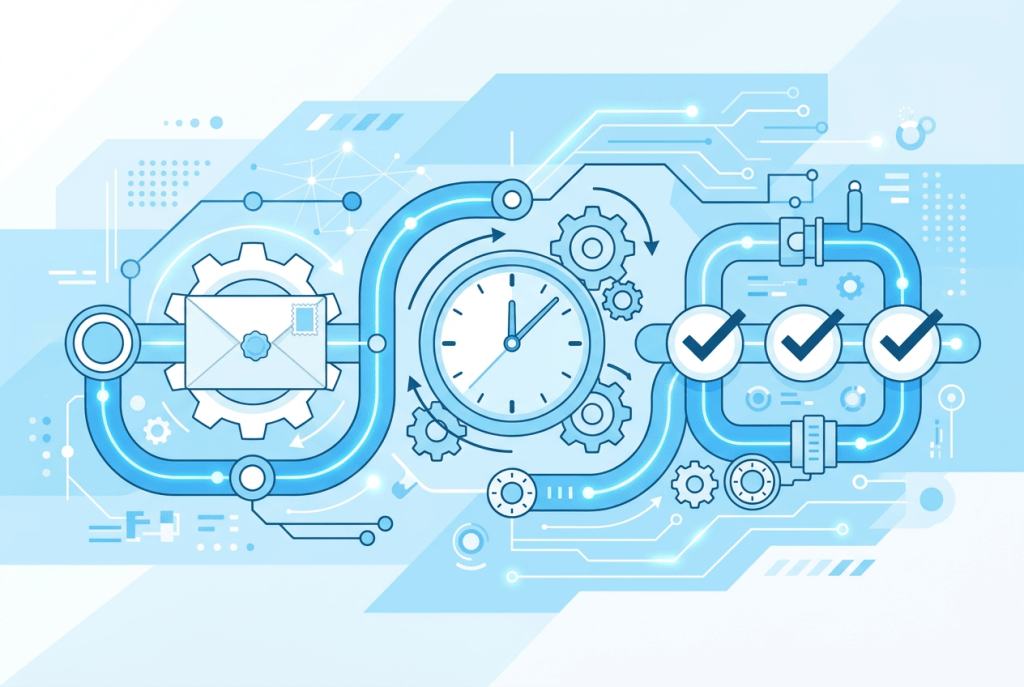
At its core, email automation runs on a simple concept: triggers and actions. A trigger is something your customer does (or does not do), and the action is the email that gets sent in response. Someone signs up for your email list? That triggers a welcome email. A customer puts something in their cart but does not buy it? That triggers a cart abandonment email. A subscriber has not opened your emails in 90 days? That triggers a reengagement sequence.
The software watches for these triggers and sends the right message at the right time, automatically. You set it up once and it keeps running. According to recent data, triggered email campaigns average a 46% open rate and an 11% click through rate, which is significantly higher than what most standard email blasts achieve. The reason is simple: these emails land in someone’s inbox at the exact moment they are relevant.
Platforms like Mailchimp, Brevo, HubSpot, and MailerLite all offer automation features that let you build these workflows without writing a single line of code. Most of them use visual builders where you drag and drop triggers, conditions, and email steps into a sequence. If you have ever created a playlist on Spotify, you can figure out an email automation workflow.
What Types of Email Automations Should You Know About?
There are several types of email automations that businesses use, and each one serves a different purpose. I am going to give you a high level overview here because each of these deserves its own deep dive, and we will be covering them individually in future articles.
Welcome Emails. This is the first email (or series of emails) someone receives after signing up for your list or making their first purchase. Welcome emails consistently outperform every other type of automated email, with average open rates above 80%. They set the tone for your entire relationship with that customer. About 47% of businesses using automation prioritize welcome emails, and for good reason.
Cart Abandonment Emails. If you sell anything online, this one is critical. When a customer adds items to their cart and leaves without buying, a cart abandonment email reminds them to come back and complete the purchase. Nearly half of all people who click on a cart abandonment email end up making a purchase. That is revenue you would have lost completely without automation.
Drip Campaigns. These are sequences of emails sent over a set period of time, usually designed to educate or nurture a lead. Think of a five email series that introduces your product, shares customer stories, and eventually makes an offer. About 67% of marketers use automation specifically for drip or nurture campaigns, and those campaigns tend to see click rates three times higher than one off emails.
Transactional Emails. These are the emails people expect to receive after taking an action: order confirmations, shipping updates, password resets, and account notifications. About 28% of businesses automate their transactional emails. While they might seem like basic housekeeping, transactional emails have some of the highest open rates of any email type because people are actively looking for them.
Reengagement Emails. When subscribers go quiet and stop opening or clicking your emails, a reengagement sequence tries to bring them back. This might include a special offer, a survey asking what they want to hear about, or a simple message saying you have noticed they have been away. These campaigns help you clean your list and recover subscribers before you lose them entirely.
Birthday and Anniversary Emails. Personalized emails sent on a customer’s birthday or the anniversary of their first purchase. They feel personal, they build loyalty, and they often include a discount or special offer that drives a purchase. These are easy to set up and tend to perform well because the timing feels intentional rather than random.
Upselling and Cross Selling Emails. After a customer makes a purchase, automated emails can suggest related products or upgraded options. About 23% of businesses use automation for upselling emails. When done right, these feel helpful rather than pushy because you are recommending products based on something the customer already bought.
Event Triggered Emails. These are emails sent based on specific behaviors on your website or app, like browsing a particular product page, downloading a resource, or watching a video. About 15% of businesses use event triggered automations, but this number is growing as more platforms make behavioral tracking easier to implement.
Each of these automation types plays a specific role in your marketing strategy, and the best results come from combining several of them into a connected system. We will break down each one in detail in upcoming articles so you can see exactly how to set them up and what to expect.
Why Does Email Automation Outperform Manual Email Campaigns?
The numbers tell the story here. Automated emails see significantly higher open rates, higher click through rates, and dramatically better conversion rates compared to standard email campaigns. One recent analysis found automated emails delivered 52% higher open rates, 332% more clicks, and over 2,300% better conversion rates than manual sends.
Why such a massive difference? Three reasons.
First, timing. Automated emails arrive when they are most relevant. A welcome email hits right after someone signs up, when interest is at its peak. A cart abandonment email arrives while the purchase is still fresh in someone’s mind. That timing is nearly impossible to replicate with manual sends.
Second, personalization. Automation tools use data about each subscriber to send content that matches their behavior, preferences, and stage in the customer journey. This is not about slapping someone’s first name in the subject line. It is about sending the right message to the right person based on what they have actually done.
Third, consistency. Automation does not take days off, forget to send a follow up, or get too busy to check in with a lead. Once your workflows are running, every customer gets the same quality experience regardless of how busy your team is.
What Tools Can Help You Get Started with Email Automation?
You do not need an enterprise budget to start using email automation. Several platforms offer free or affordable plans that include automation features.
MailerLite is a great starting point for small businesses. Their free plan includes up to 1,000 subscribers and 12,000 emails per month, and their paid plans start at just $9 per month. The automation builder is straightforward and visual, making it easy for beginners.
Brevo (formerly Sendinblue) offers email automation alongside SMS marketing and a built in CRM. Their free plan lets you send up to 300 emails per day. It is a solid option if you want to manage multiple communication channels in one place.
HubSpot provides a free tier that includes basic email marketing and CRM tools. If your business is growing and you want marketing, sales, and service tools that work together, HubSpot is worth exploring. Their paid plans start at $20 per month.
Klaviyo is built specifically for ecommerce businesses and integrates deeply with platforms like Shopify and WooCommerce. If you sell products online and want automations that are tailored to shopping behavior, Klaviyo is one of the strongest options available.
The right platform depends on your business type, your budget, and how complex your automations need to be. But the important thing is to start somewhere. Even a single welcome email automation can make a measurable difference.
Is Email Automation Really Worth It for Small Businesses?
This is the question that matters most, and the answer is straightforward. Email automation is not just for companies with massive marketing departments. It is one of the most accessible and cost effective tools available to any business, regardless of size. The email marketing software market was valued at $1.38 billion in 2023 and is projected to reach $3.73 billion by 2032, and that growth is driven largely by small and midsize businesses adopting these tools for the first time.
You do not need to set up every automation at once. Start with a welcome email. Add a cart abandonment sequence if you sell online. Build a simple drip campaign to nurture new leads. Each automation you add is one more thing working for your business while you focus on everything else. The tools are affordable, the setup is manageable, and the results are backed by years of data showing that automated emails consistently outperform manual sends in every metric that matters. Start with one automation this week. See what happens. Then build from there.